Documentation · Feature guide · Workspace
Agents and sessions
The director agent plans and delegates; specialist agents build. Agent definitions, memory and reports live in files; sessions are started and watched from inside the app.
Matches on other pages
Contents
What it does
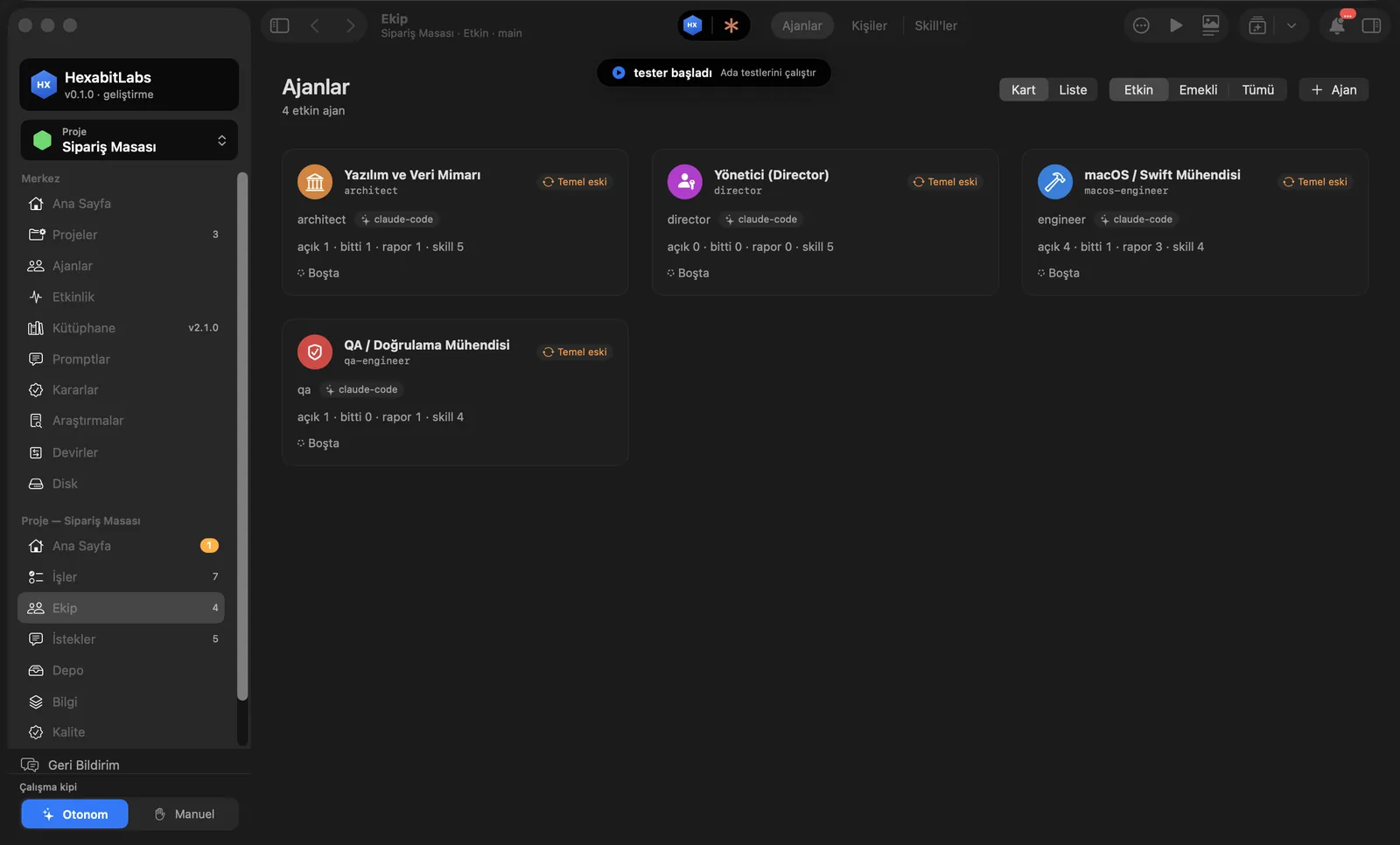
- The Team screen lists the project’s agents: role, open tasks, reports and skills; base agents come from the library.
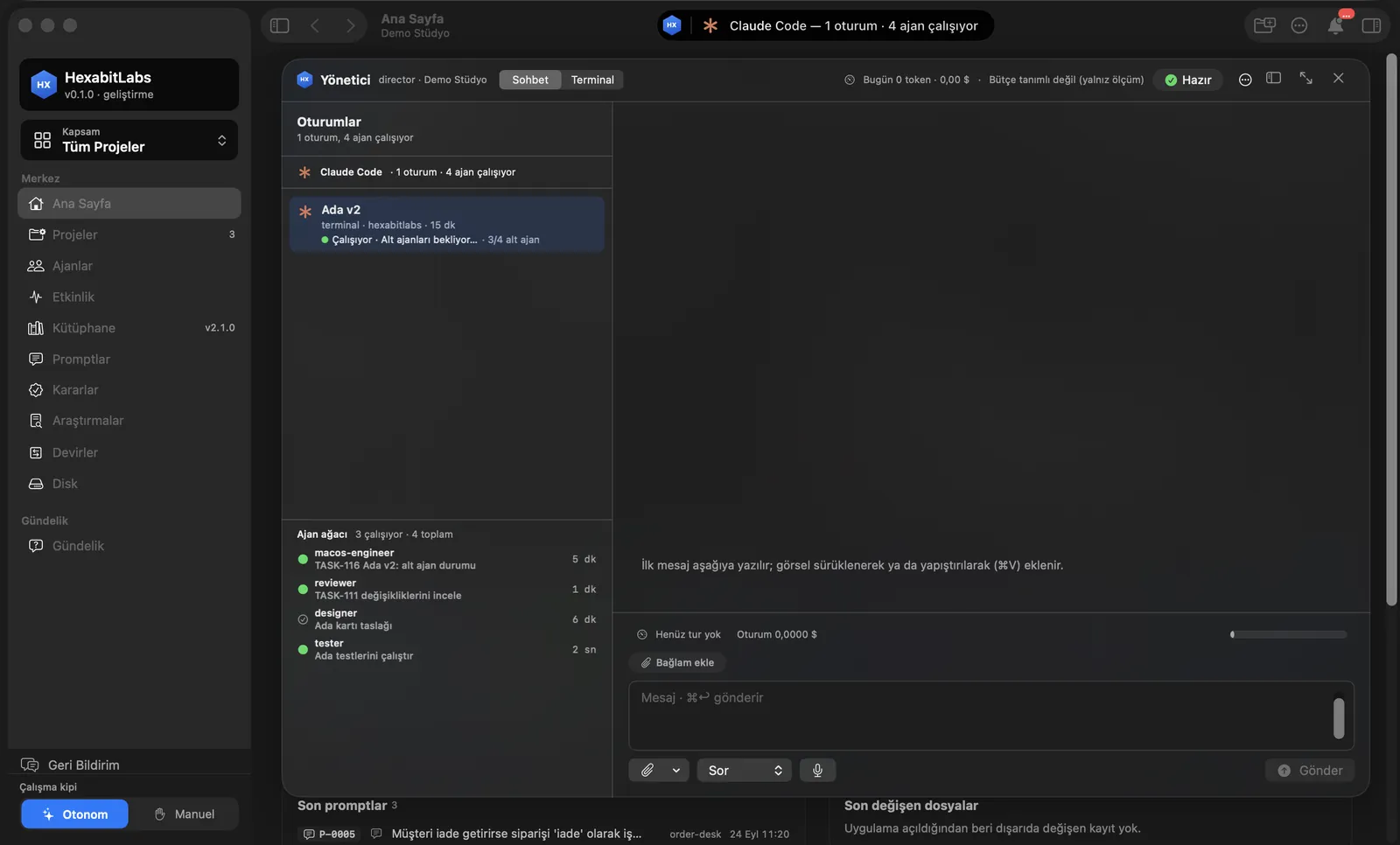
- The Director Island is the capsule at the top of the window: it shows how many Claude Code sessions and agents are running; click it for the Chat and Terminal panel and the sub-agent tree.
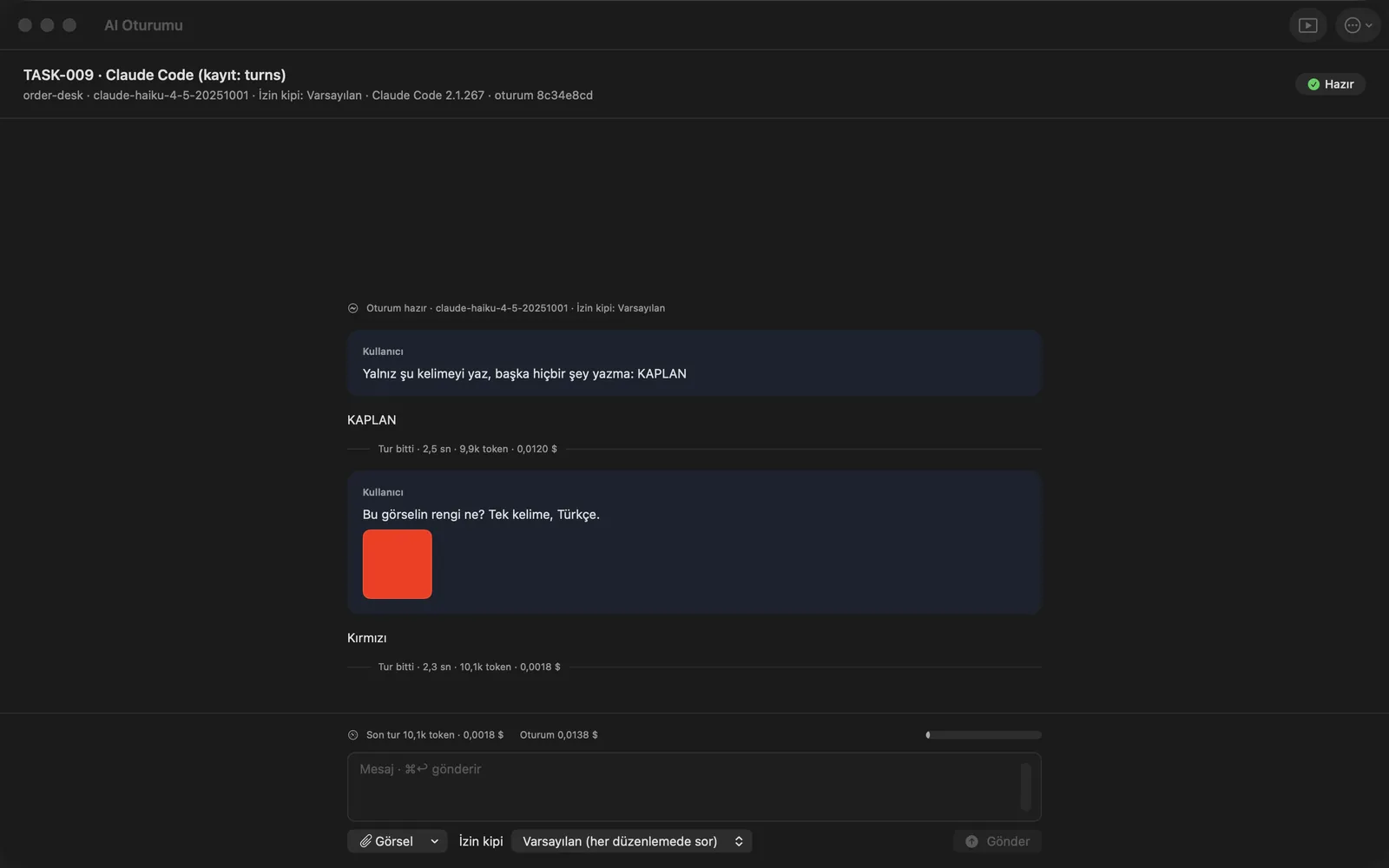
- The AI Session window shows duration, tokens and estimated cost for every turn; when the budget runs out the session stops and you grant more.
- The Library holds ready agent and skill definitions; a lesson learned in one project is promoted to the library.
Step by step
- Open Team in the project menu; open an agent card for its definition, memory and reports.
- To hand a task to an agent, press Start Session in the task detail; pick the AI tool (Claude Code, Codex) and the model.
- Watch running sessions from the island at the top; click it to open the Director panel.
- Follow tokens and cost per turn in the session window; change the permission mode if needed.
Related hx commands
# a project-specific agent from a base agent
hx new agent perf-engineer --base macos-engineer

# copies agents, skills, rules and hooks from the library into the project
hx sync

# an agent picks up its first pending instruction
hx inbox take --agent designer
Frequently asked questions
Is model usage included in the subscription?
No. Agents run on your own Claude Code and/or Codex account; model usage is billed there.
What if a session stops halfway?
The task, acceptance criteria and agent memory are files; a new session continues where the last one stopped.
Where do I set the budget?
You set the session budget when starting it; when it is spent the session stops and an extra-budget request comes to you.
Need help?
If you did not find your answer here, write to us and we will reply.