Documentation · Feature guide · Tasks and quality
Tests
See the project’s tests, the tests your agents ran and the tests you wrote in plain sentences in one place. Turn a written test into an automated one with your approval.
Matches on other pages
Contents
What it does
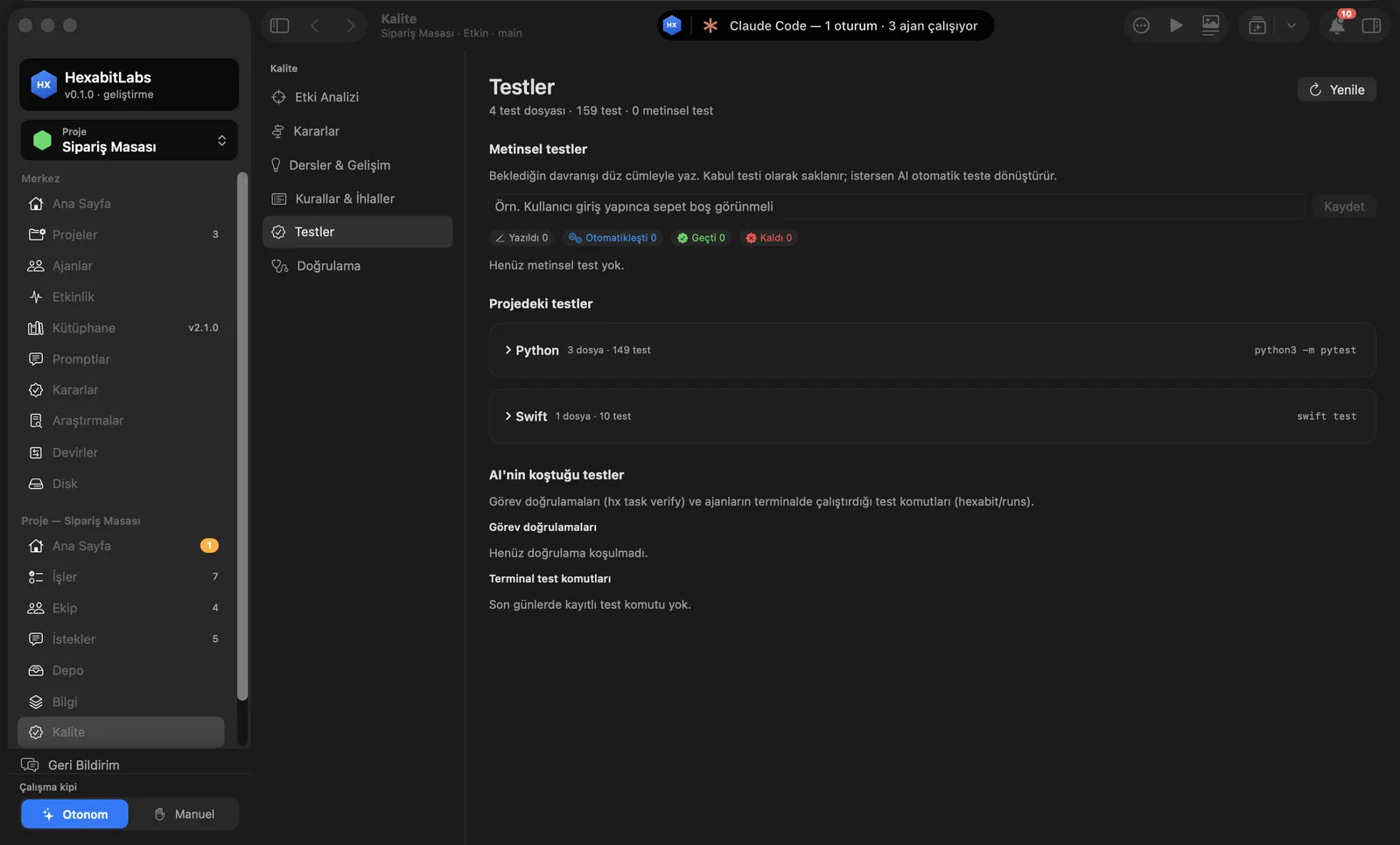
- Quality › Tests discovers test files by language and tool (e.g. Python 3 files · 149 tests,
python3 -m pytest; Swiftswift test). - Tests the AI ran: task verifications (
hx task verify) and test commands agents ran in the terminal, with timestamps. - Written tests: type a sentence such as “After signing in the cart should be empty” and press Save; it is kept as an acceptance test. States: Written, Automated, Passed, Failed.
- Have AI implement… shows the prompt that turns the written test into an automated one; nothing is sent until you press Approve and Send.
Step by step
- Open Quality › Tests in the project menu.
- Expand a suite under Tests in the project to see its files; Refresh runs discovery again.
- Type the behavior you expect and press Save.
- Use Have AI implement… on the row, read the prompt and press Approve and Send.
- To re-run a task’s tests press Verify in the task detail; to try the project use ▶︎ Run in the toolbar.
Related hx commands
# runs the project’s verification command and records the result on the task
hx task verify TASK-004

# proposes acceptance tests for features that received no fixes across shown versions
hx accept scan

# generates user tests from the records
hx usertest generate
Frequently asked questions
Does a written test run by itself?
No. Until it is automated you mark it by hand (Passed/Failed); once automated it runs with the project tests.
Which test tools are recognized?
Swift, Python (pytest), JavaScript/TypeScript (npm test, vitest, jest) and similar common tools are discovered from files and configuration.
What is the difference between Run and Verify?
▶︎ Run starts the project as an application; Verify runs the project’s verification (test) command and records it on the task badge.
Need help?
If you did not find your answer here, write to us and we will reply.