Documentation · Feature guide · Account and upkeep
Update channel
Pick the Stable or Beta channel. Updates are signed; if a new version does not start, the previous one is restored and your data is unchanged.
Matches on other pages
Contents
What it does
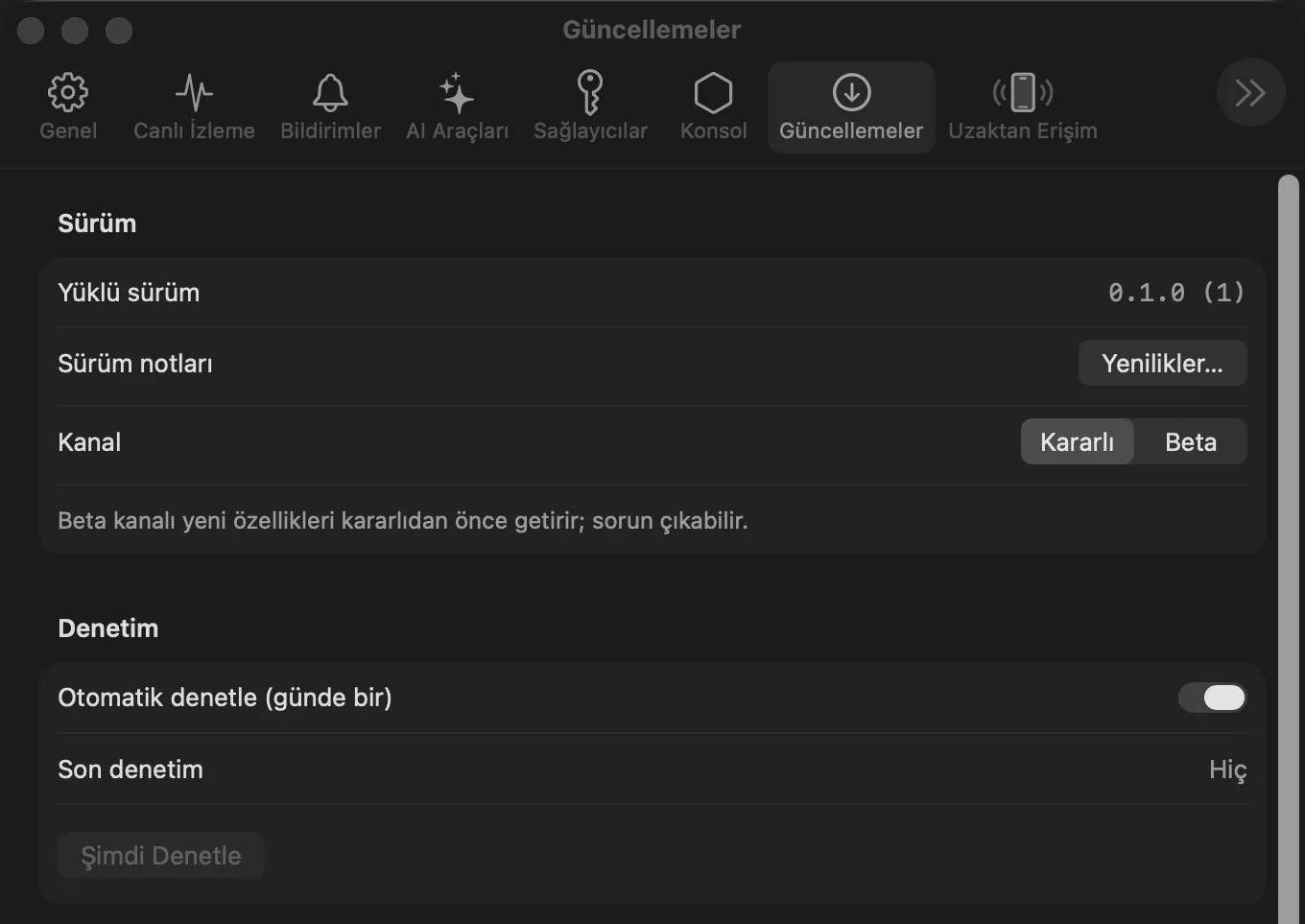
- Settings › Updates: installed version, What’s New… (release notes), channel Stable / Beta.
- Checking: an automatic check once a day and Check Now.
- Safety and rollback: the Ed25519 signature and file size are verified; your settings, Keychain and
~/.hexabitlabsdata do not change; backups are in~/.hexabitlabs/.updates/backup. - After an update, the “What’s New” window opens once on first launch.
Step by step
- Open Settings › Updates.
- Choose a channel: Stable (recommended) or Beta.
- Leave Check automatically on, or press Check Now.
- Read the release notes with What’s New….
Related hx commands
# install a new version by hand until the release channel opens (your data is kept)
sh install.sh --force
Updating happens in the app; the hx tools are updated with it.
Frequently asked questions
Can I go back after switching to Beta?
Yes, set the channel to Stable; you move to it with the next stable release.
What if an update fails?
If the new version does not start, the previous one is restored; the backup stays in place.
Does an update change my data?
No. Settings, Keychain and ~/.hexabitlabs data are not changed by updates.
Need help?
If you did not find your answer here, write to us and we will reply.