Documentation · Feature guide · Tasks and quality
Impact analysis and visual preview
Before a change, see what it touches: screens, data fields, functions, code lines and the tests to run. In the live preview you click a region of the screen and follow the chain.
Matches on other pages
Contents
What it does
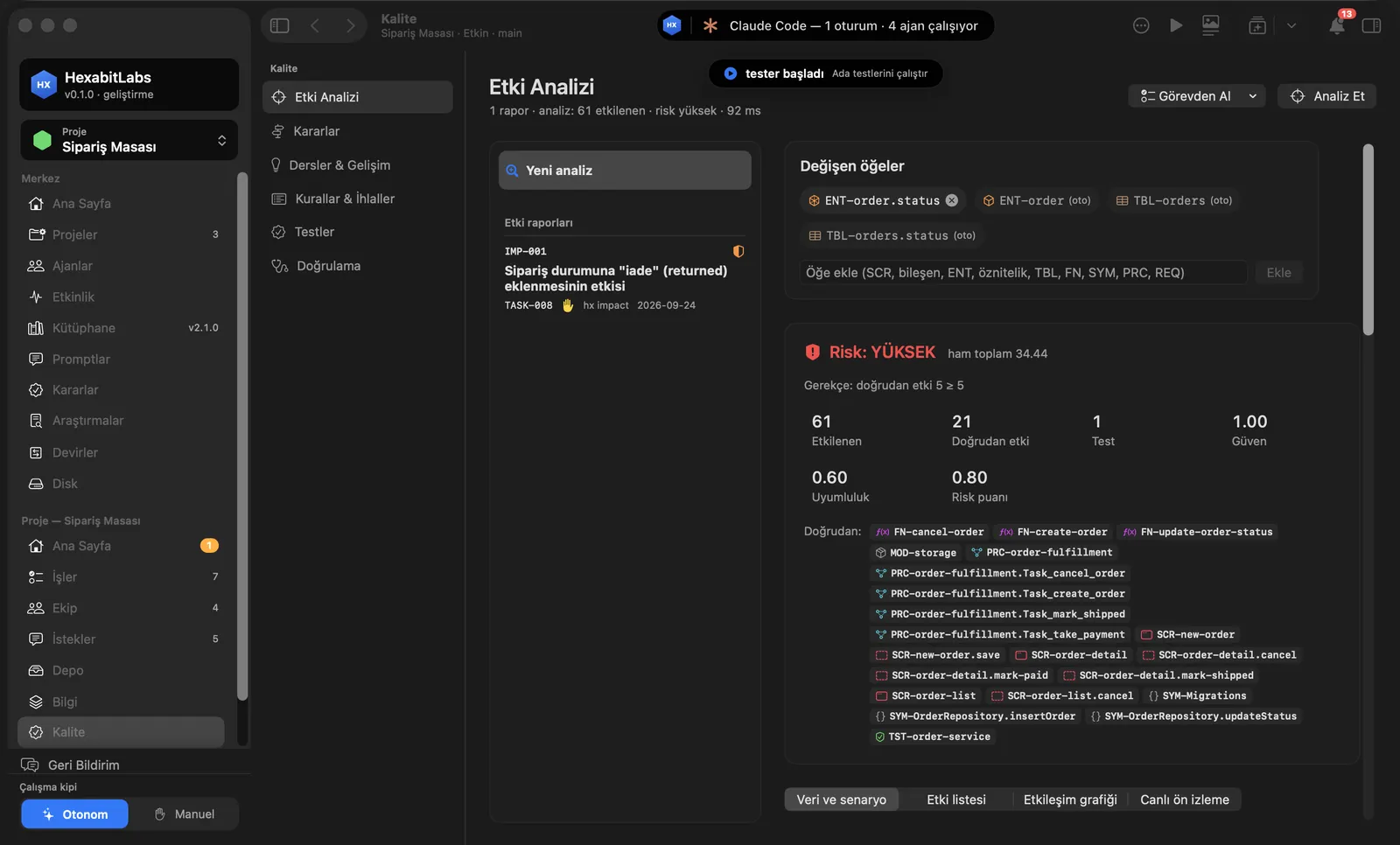
- In Quality › Impact Analysis you pick the changing items (screen, component, entity field, table, function, symbol, process, requirement) or take them from an open task.
- The result comes with a risk level: affected items, direct impact, tests, confidence; tabs Data and scenario, Impact list, Interaction graph and Live preview.
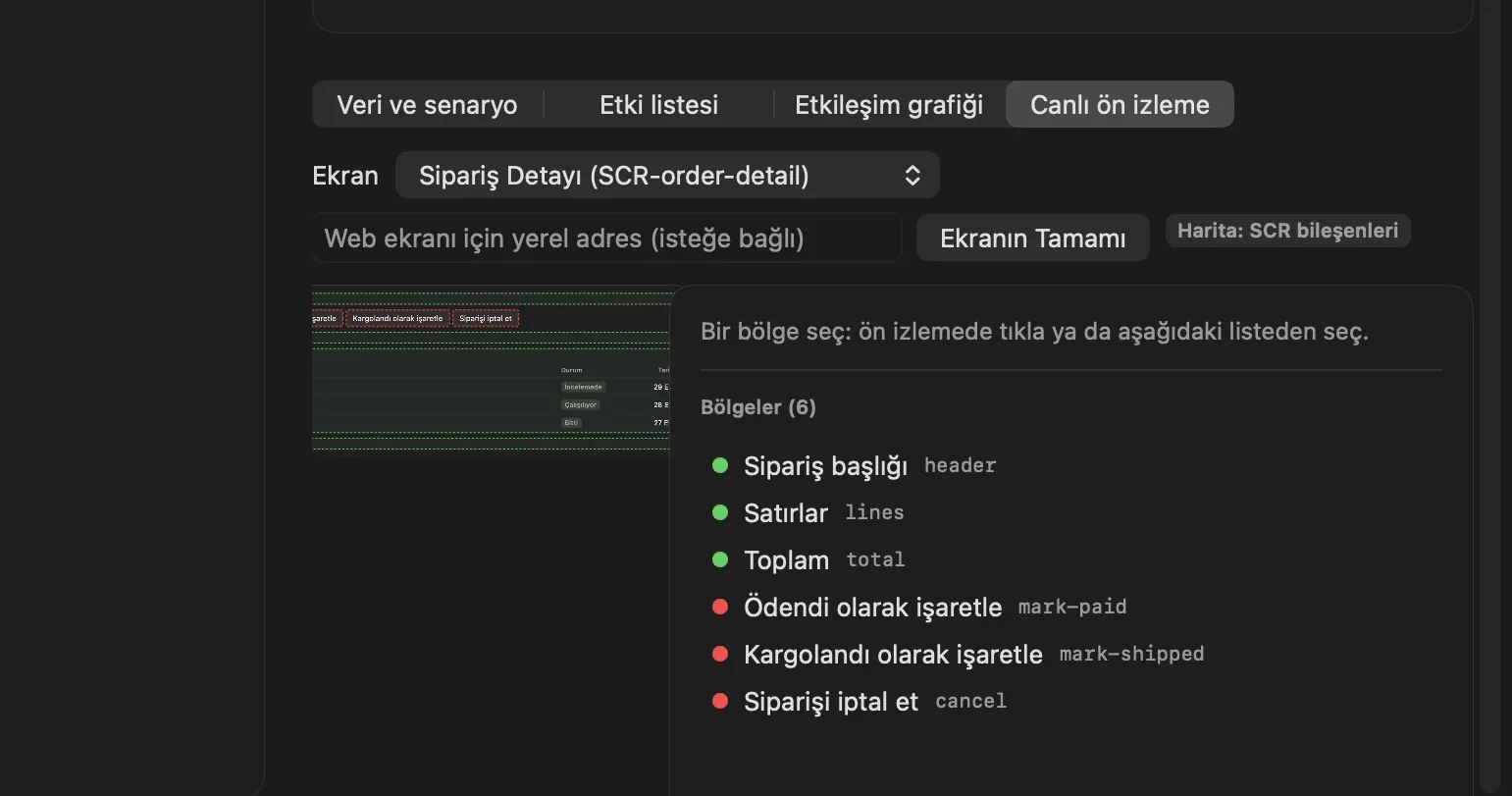
- Live preview shows the screen (a screenshot for native apps, a local address for the web) with its regions; region → content → data → function → code line is drawn with read/write and risk colors. Send to AI builds a ready prompt with that context; you edit and approve it.
- The project visual map (PVM) holds the links between modules, surfaces, regions and code lines; the analysis uses it.
Step by step
- Open Quality › Impact Analysis in the project menu.
- Add items under Changing items (e.g.
ENT-order.status) or use Take from task; press Analyze. - Read the risk summary and direct impacts; ask “what if I add this field to this screen” with the change scenario.
- In Live preview, choose the screen and click a region or pick it from the list; follow the chain.
- If needed, review the prompt with Send to AI and send it to the director session.
Related hx commands
# writes an impact report (IMP-###)
hx impact ENT-order.status --task TASK-008 --write

# data fields the screen reads and writes
hx impact data SCR-order-detail

# compares the prediction with the real git diff
hx impact verify IMP-001 --branch feature/returns

# which surface and region shows the item
hx pvm where ENT-order.status
Frequently asked questions
Is a knowledge model required?
Results are best with screen, entity and function records. If they are missing, a PVM scan (hx pvm scan) drafts them from markers in the code.
Does Send to AI run by itself?
No. The prompt is shown to you first and is not sent until you edit and approve it.
How does live preview work for a web project?
Give the local address (e.g. http://127.0.0.1:5173); pick the region by clicking inside the page or with a CSS selector.
Need help?
If you did not find your answer here, write to us and we will reply.