Documentation · Feature guide · Tasks and quality
Data schema (DB schema tool)
See the project’s data model as an ontology, an entity-relationship diagram (ERD) and tables/columns; impact analysis uses the same model.
Matches on other pages
Contents
What it does
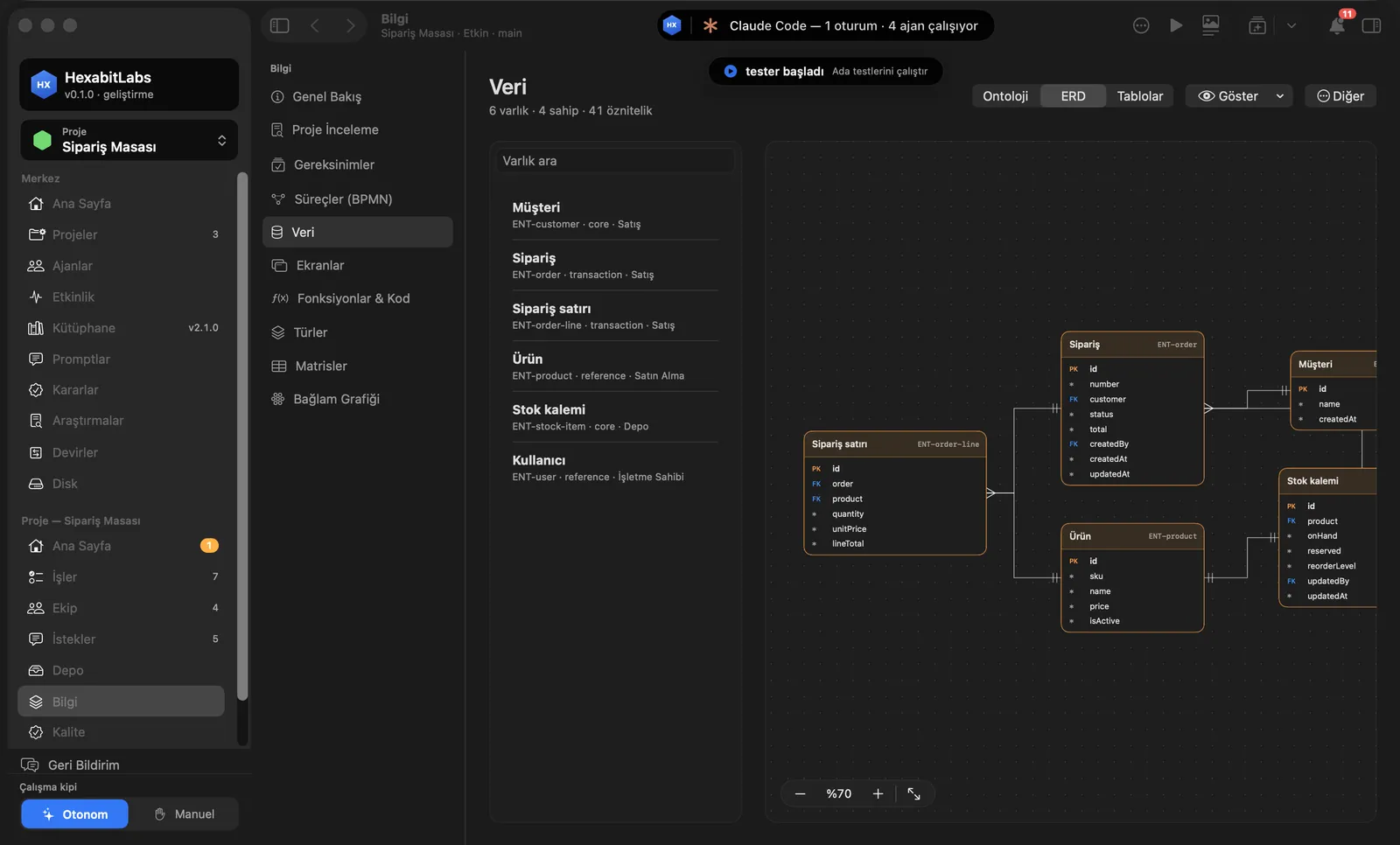
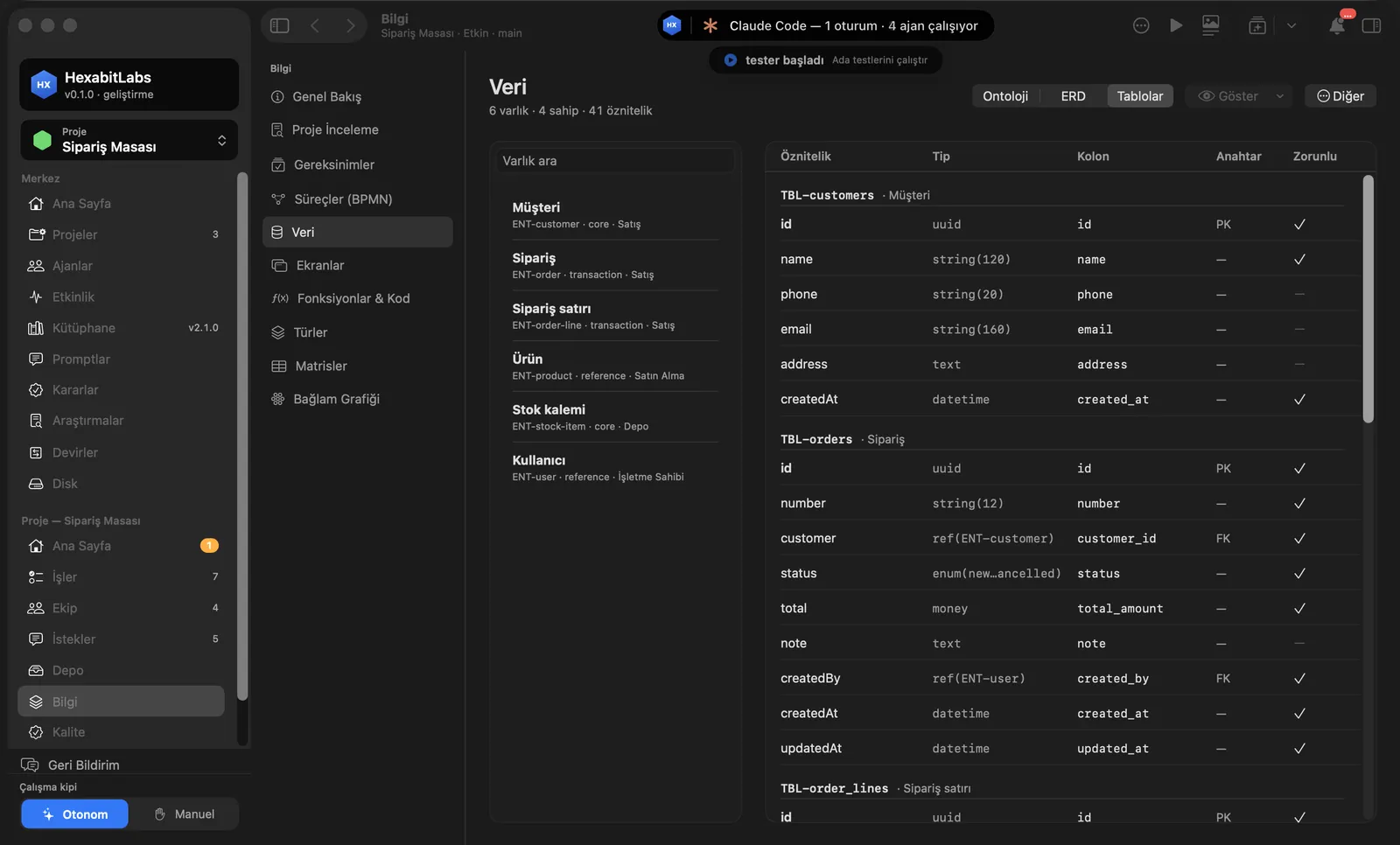
- Knowledge › Data has three tabs: Ontology, ERD and Tables. Entities, fields, primary/foreign keys and relations are drawn.
- Search entities in the left list; the selected entity’s fields and where it is used appear. Zoom and full screen are available.
- Entity fields feed impact analysis: right-click a field to open “Impact Analysis…”.
- The data schema contract (DSM) keeps tables, fields, types, constraints, relations, indexes and migration version in JSON that both AI and people read; it includes type mappings for PostgreSQL, Supabase, SQLite/SQLCipher, MySQL, MongoDB, Firestore, Oracle and SQL Server.
Step by step
- Open Knowledge › Data in the project menu.
- Zoom and pan the diagram in the ERD tab; see the column list in Tables.
- Pick an entity in the left list; read its fields and the screens that use it.
- If a field will change, check it first with Impact analysis.
Related hx commands
# screens and functions that read and write the field
hx impact data ENT-order.status

# consistency check of the knowledge model (entities, fields, tables)
hx validate
Frequently asked questions
Does it connect to my database?
No. The schema is read from project files (knowledge model, SQL/ORM files); no live database connection is made.
Which databases are supported?
DSM type mappings cover PostgreSQL, Supabase, SQLite/SQLCipher, MySQL, MongoDB, Firestore, Oracle and SQL Server.
Can I export the ERD?
Canvas views can be exported as PNG and PDF.
Need help?
If you did not find your answer here, write to us and we will reply.