Documentation · Feature guide · Workspace
Agent Office
See your team as an office: who is working, who is waiting, who needs approval. Four visual styles, avatars and “Enter office”, a full-screen office you walk with the keyboard.
Matches on other pages
Contents
What it does
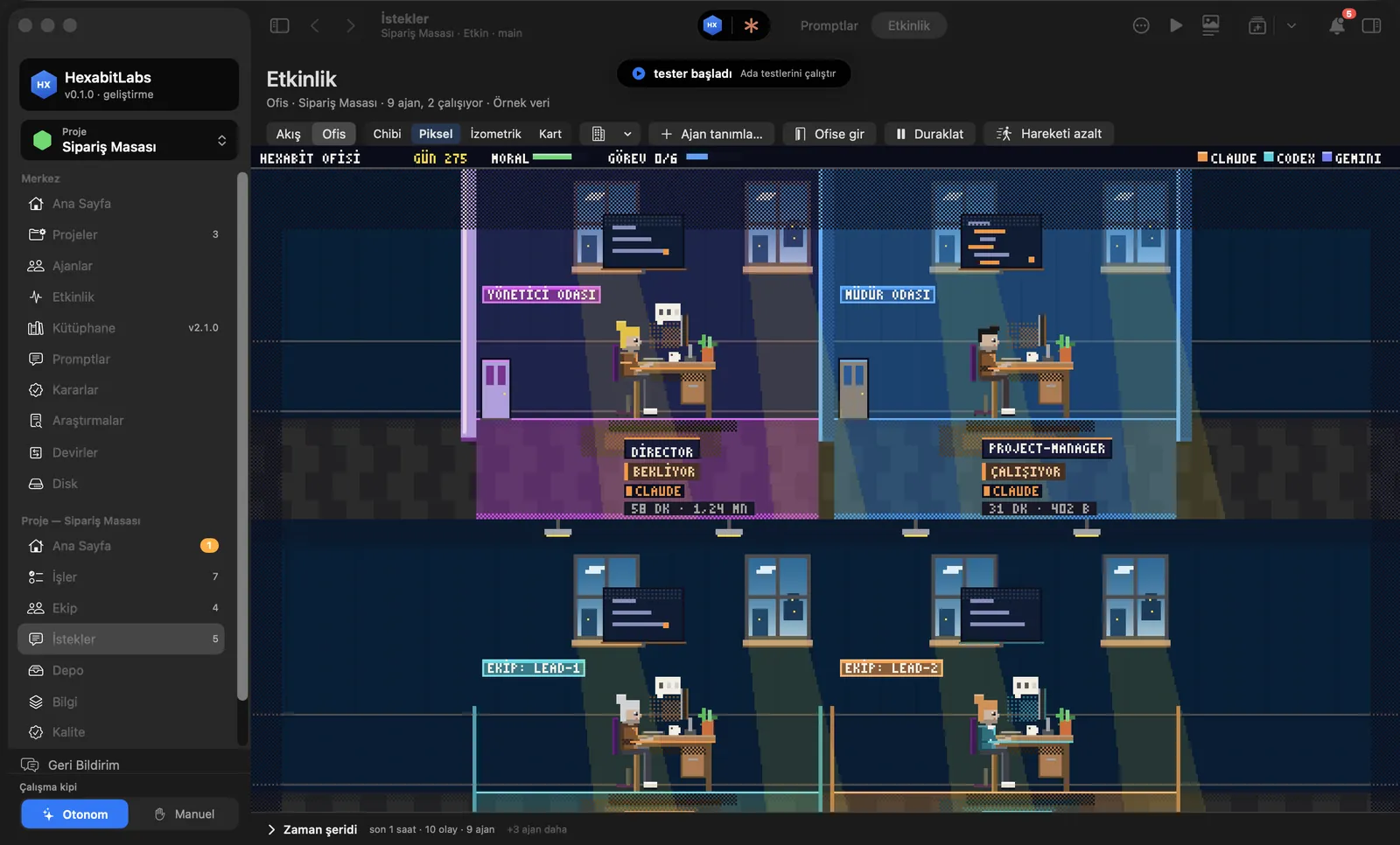
- Activity › Office shows agents by their real state: working at the desk, hand raised (needs approval), idle or blocked.
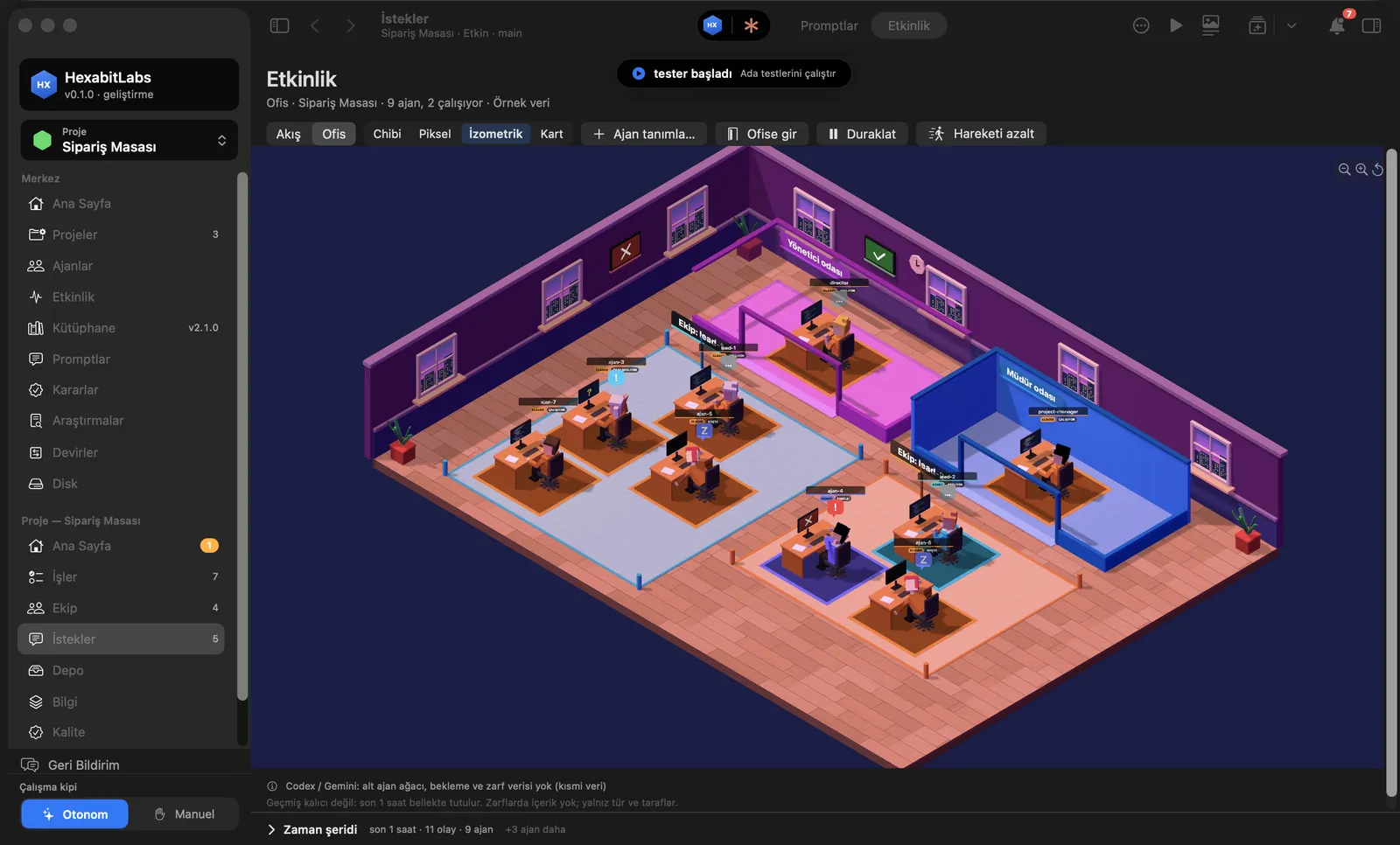
- Four styles: Chibi, Pixel, Isometric and Card. The choice is remembered. The layout follows the hierarchy: the director’s room, the leads’ room, team desks.
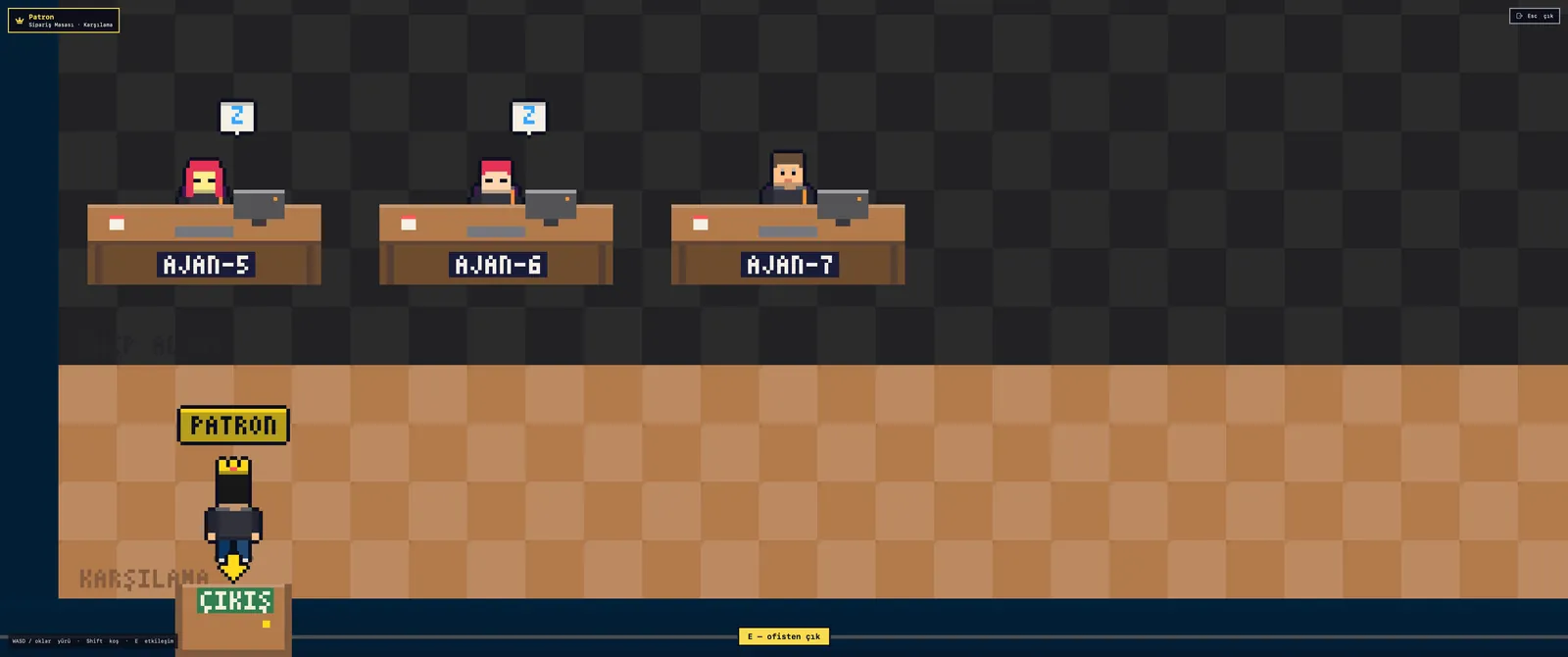
- Enter office opens a full-screen scene: walk as the “Boss” with WASD or the arrow keys, run with Shift. Browse project files at the file cabinet, read tasks at the task board, walk up to an agent and press E to talk and draft a message to the director console.
- Define agent adds a new agent to the office; the avatar (hair, skin, accessory, outfit) is written to the agent’s AGENT.md. Reduce motion turns animation into still poses.
Step by step
- Open Activity in the project menu and pick the Office tab.
- Choose Chibi, Pixel, Isometric or Card in the style picker.
- Click an agent to see its state, last action and task in the side panel.
- Press Enter office; walk with WASD or arrows, interact with E, leave with Esc.
- To message an agent, write the draft in the conversation window; it is typed into the director console and you press Enter.
Related hx commands
# a new agent; it walks in through the office door
hx new agent ux-writer --base designer

# agent status summary (the source of the office labels)
hx status --agent director
The office is a view; it has no separate command. Avatar and role live in the agent’s hexabit/agents/<agent>/AGENT.md.
Frequently asked questions
Does the office slow the app down?
It only draws while on screen; Pause and Reduce motion stop animation. It was measured with 30 agents.
Are game controllers supported?
Yes. In Enter office a game controller (GameController) works in addition to the keyboard.
Is a message from the office sent right away?
No. The text is typed into the director console; you press Enter to send it.
Need help?
If you did not find your answer here, write to us and we will reply.