Documentation · Feature guide · Tasks and quality
Tasks and the review gate
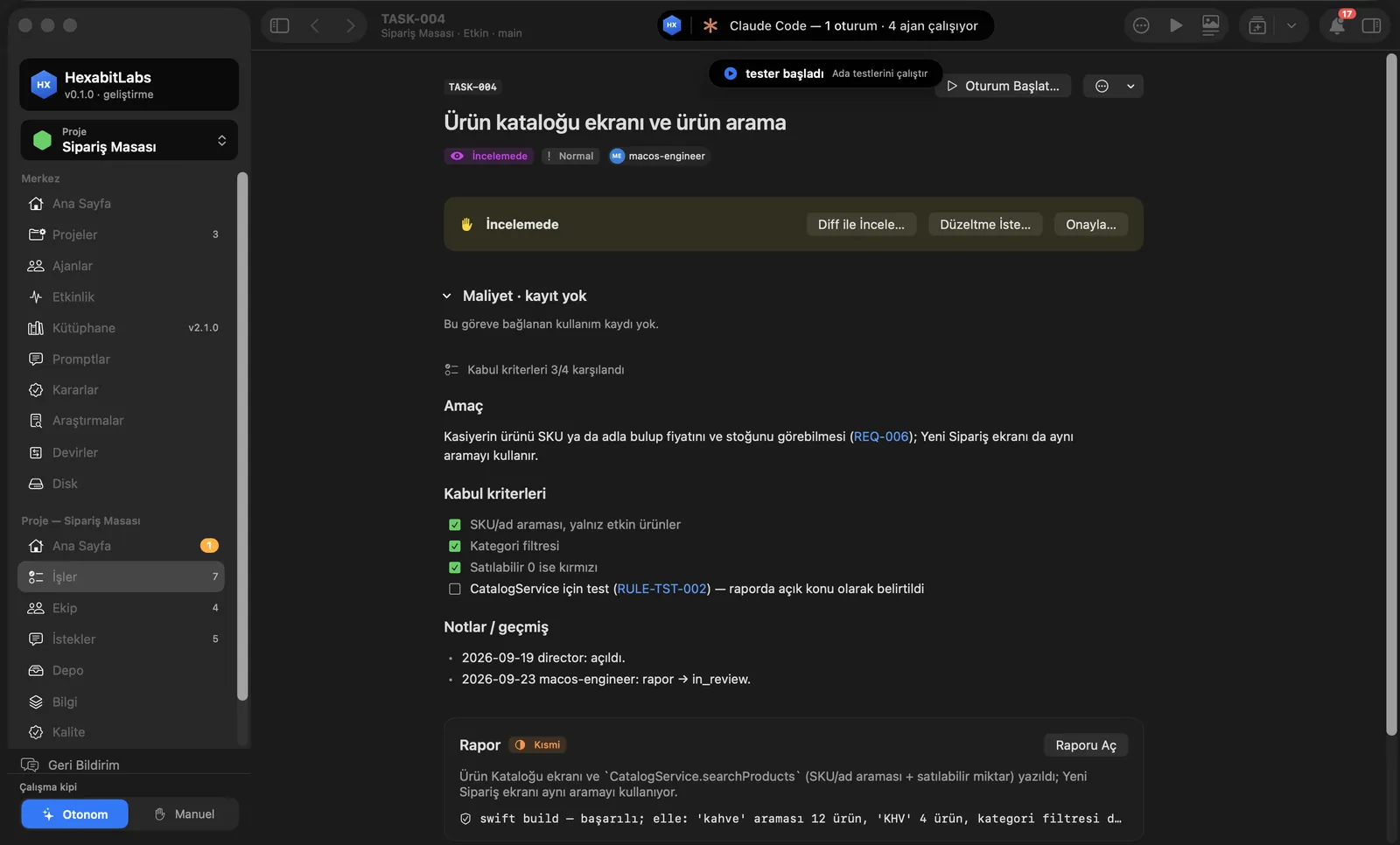
Every piece of work is a task; every task starts with measurable acceptance criteria and closes with an evidence-backed report. Accepting or rejecting is your call; an agent never approves its own work.
Matches on other pages
Contents
What it does
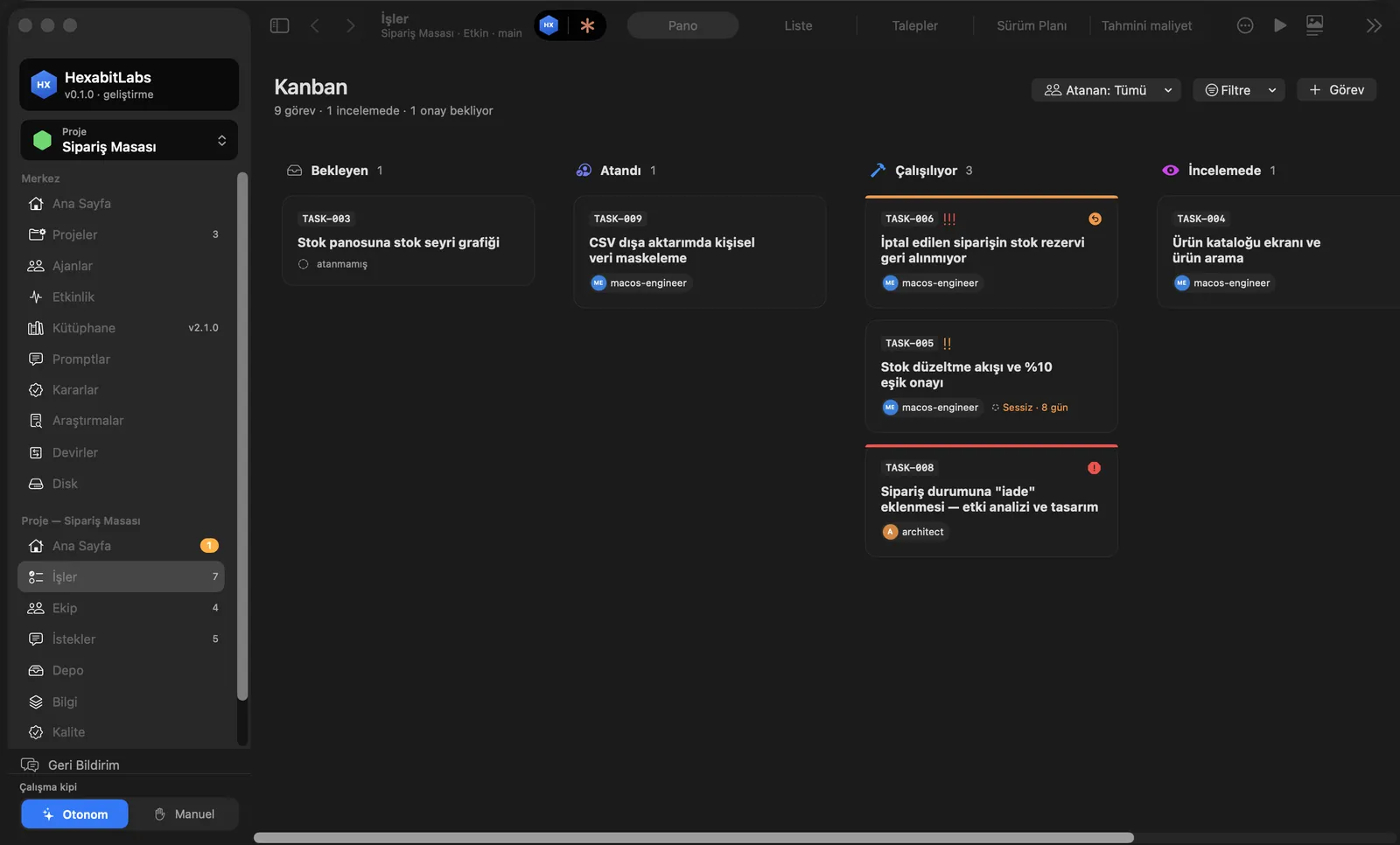
- The Work screen holds the Kanban board: Pending → Assigned → In progress → In review → Awaiting approval → Done. Cards show priority, assignee, idle time and the test badge.
- The task detail holds the goal, acceptance criteria (checked or not), cost, notes and the agent’s report.
- The review gate: when a task is in review, Review diff…, Request changes… and Approve… appear on top. For medium and large work, approval needs a review independent of the agent that did the work, and evidence per criterion.
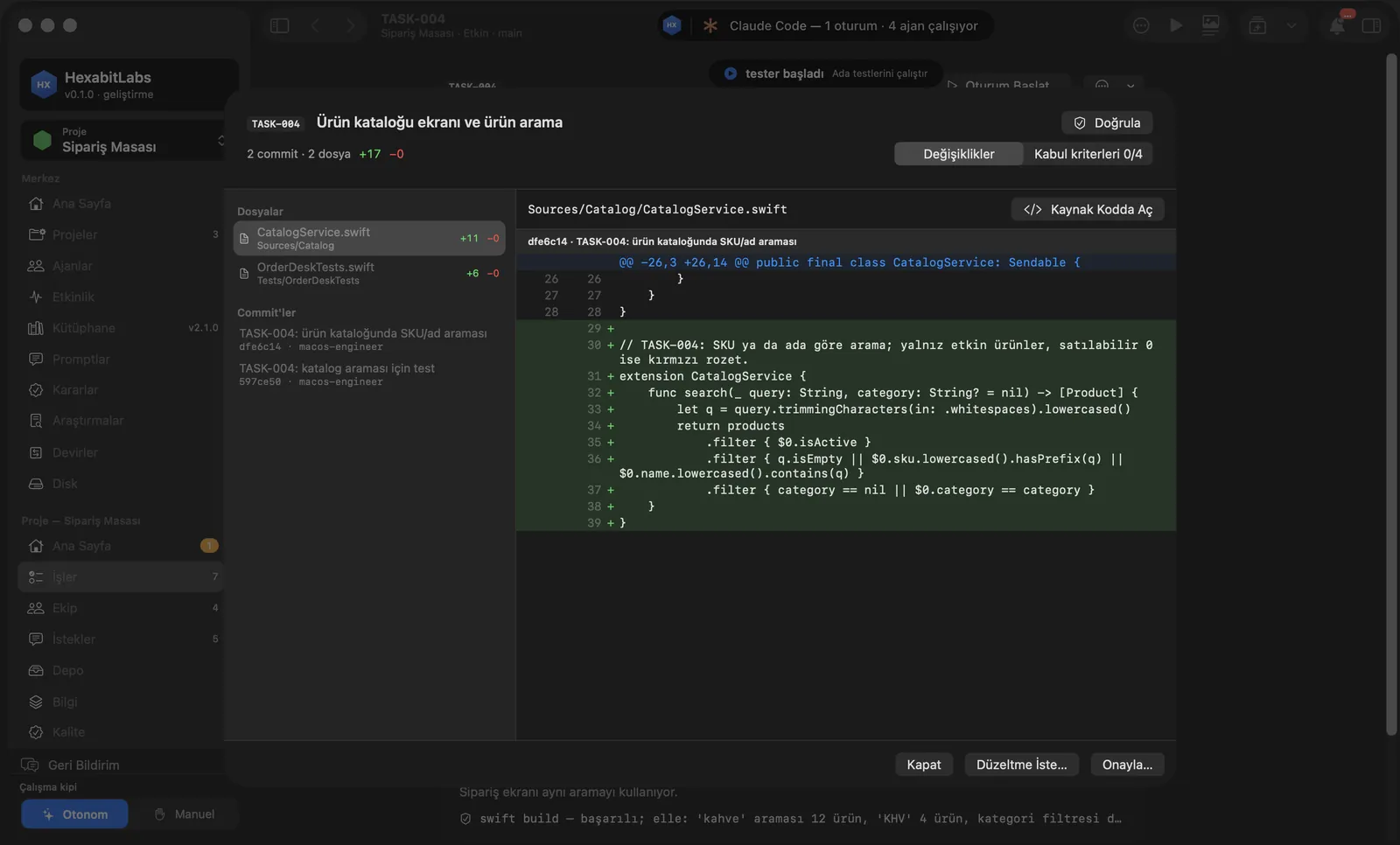
- Review diff shows the task’s commits, changed files and a line-by-line diff; the Acceptance criteria tab shows evidence per criterion. Verify runs the project’s verification command and writes the result to the badge.
Step by step
- In Work, press + Task: a title and measurable acceptance criteria.
- Assign it to an agent and press Start Session in the detail.
- When the task moves to In review, open it and press Review diff….
- Go through the changed files and the Acceptance criteria tab; re-run tests with Verify if needed.
- Decide: Approve… or Request changes… with a reason; the agent goes back to work with it.
Related hx commands
# a task with acceptance criteria
hx new task "Date filter for the calendar" --assignee web-engineer --accept "No overflow at 375 px"

# the agent hands the work over for review
hx task review TASK-012 --report <report> --agent web-engineer

# runs the verification command and writes the badge
hx task verify TASK-012

# approval with evidence (reviewer)
hx task approve TASK-012 --agent qa --evidence "npm run e2e: 42/42"
Frequently asked questions
Can an agent mark its own task done?
No. An agent can at most hand it over for review; approval belongs to the reviewer or to you.
Does an empty or template review pass?
No. If any criterion lacks evidence the approval is refused with the reason.
What does the test badge show?
The result of the last verification: passed/failed, duration and a summary, taken from the task record.
Need help?
If you did not find your answer here, write to us and we will reply.