Documentation · Feature guide · Workspace
Projects
Your projects are file based: every project folder has an AGENTS.md and a hexabit/ directory. The app reads them, visualizes them and lets you edit them.
Matches on other pages
Contents
What it does
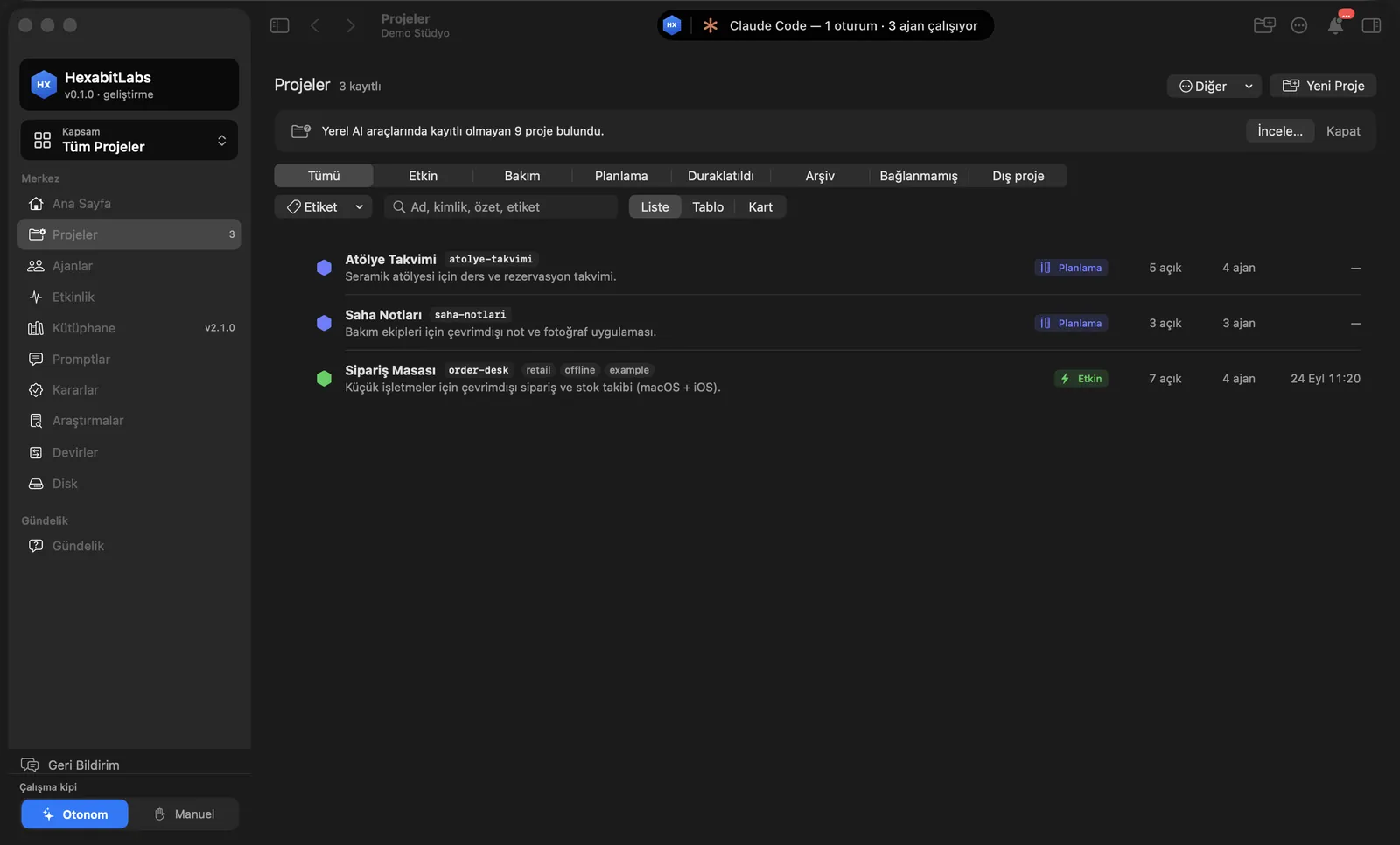
- The Projects screen shows every project as a list, table or cards; filter by status (Active, Maintenance, Planning, Paused, Archive) and by tag.
- Projects found on disk but not yet registered show up in the Review band; import them with one click.
- Each project has its own menu: Home, Work, Team, Requests, Depot, Knowledge, Quality.
- The ▶︎ Run toolbar button runs the project with a recognized setup (npm/vite, Swift package, gradle, python, docker compose, static site); output and address appear in a panel.
Step by step
- Open Projects in the sidebar.
- Use New Project to start from scratch or import an existing folder.
- Pick List, Table or Cards; filter by status with the tabs.
- Inside a project, press ▶︎ Run in the toolbar; if there is no run setup, the app proposes a ready prompt for the director agent, sent only with your approval.
Related hx commands
# new project: folder, AGENTS.md, hexabit/ and a first commit
hx new project "Workshop Calendar" --platform web --stack TypeScript

# format and consistency check for the project
hx validate

# import a project from a portable package
hx import package.hexabit
Frequently asked questions
Where does my data live?
On your own disk, inside the project folder. The app does not move your data to a server.
Can I add an existing project?
Yes. Pick the folder from the discovered-projects band or from the New Project window.
Which projects does Run support?
It recognizes npm/vite, Swift package/Xcode, gradle/maven, python, docker compose and static sites. For anything else it offers to have the director agent prepare a run setup.
Need help?
If you did not find your answer here, write to us and we will reply.