Documentation · Feature guide · Personalization
Themes and editable boards
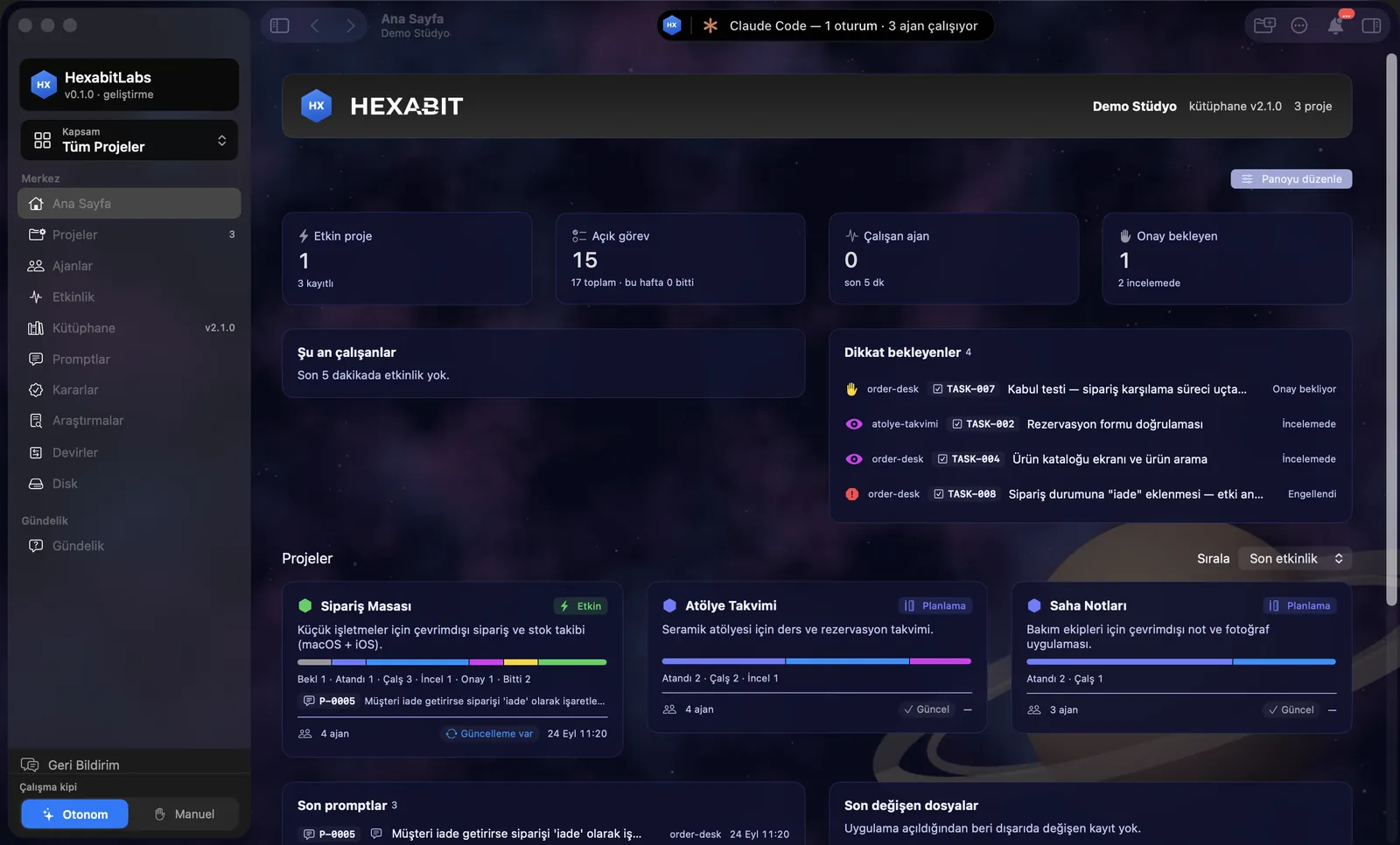
The app follows the system appearance by default; besides the official dark and light themes you build your own with colors, fonts, corners, spacing and a background image per page. You drag cards on the boards to rearrange them.
Matches on other pages
Contents
What it does
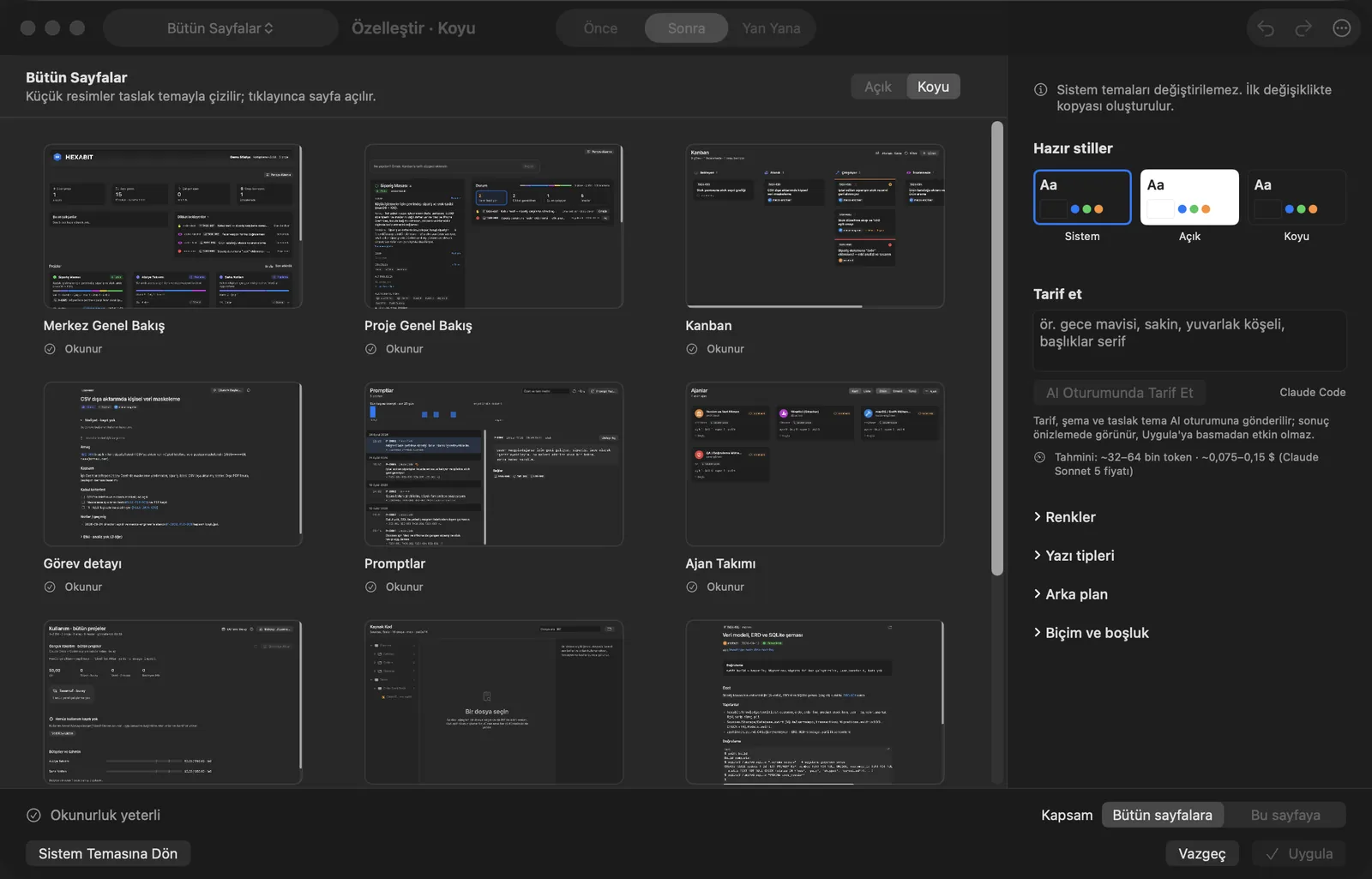
- View › Theme › Customize… opens the theme window: an All Pages preview, Before / After / Side by Side comparison, Light / Dark.
- Ready styles: System, Light, Dark. Build your own with Colors, Fonts, Background and Shape and spacing; a background applies to all pages or one page (e.g. only Home). A readability check warns about contrast problems.
- Describe: a description such as “midnight blue, calm, rounded corners” goes to an AI session and the result appears in the preview; it is not active until you press Apply. ⌥⌘0 always returns to the system theme.
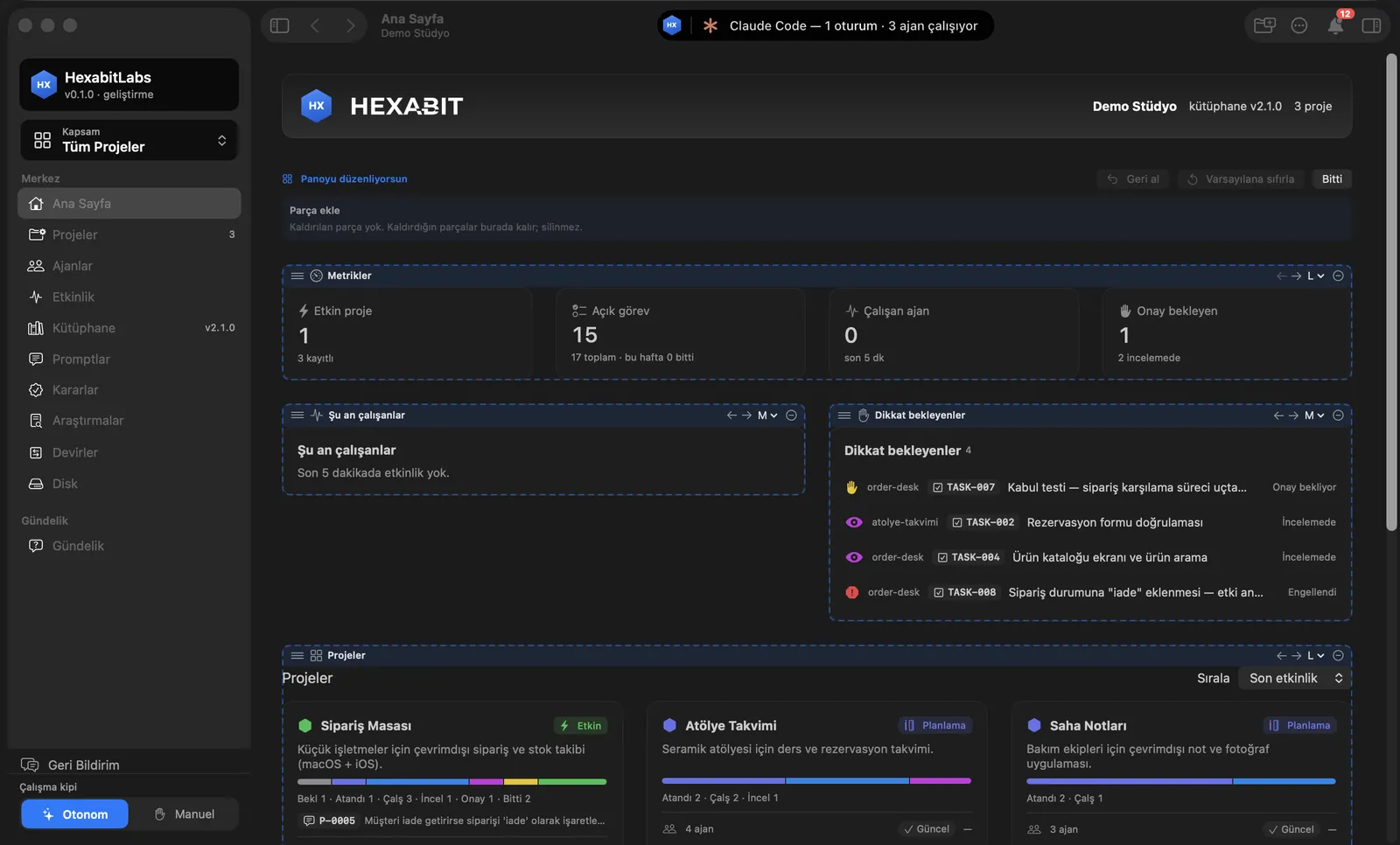
- Edit board: the cards on Home, project Home and the Office side panel are widgets; drag to move, change size (S/M/L), remove, re-add with Add widget. Reset to default is there; no widget is ever deleted for good.
Step by step
- Open View › Theme › Customize….
- Start from a ready style or open Colors and Background; compare with Before / After.
- Set Scope to All pages or This page and press Apply.
- To change a board, press Edit board on Home; move and resize cards, then Done.
Related hx commands
Themes and boards are app features; there is no hx command. User themes live in ~/Library/Application Support/HexabitLabs/themes/ as .hxtheme.json files; board layout is an app setting and is not written to project files.
Frequently asked questions
What if my theme hurts readability?
The readability check lists contrast problems; ⌥⌘0 always returns to the system theme.
Does a background slow the app down?
Images are cached; with Reduce motion or high contrast on, the background is simplified.
Is my board layout written to the project?
No. The layout is stored per user and per project as an app setting.
Need help?
If you did not find your answer here, write to us and we will reply.